

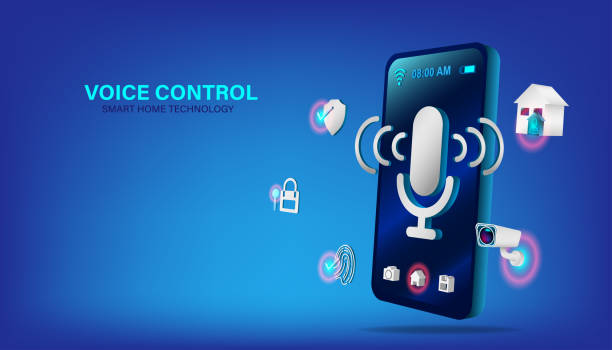

As digital communication continues to expand across gaming, streaming, and remote work, audio quality and voice presentation have become increasingly important. Many users are now exploring tools like a voice changer to enhance how they sound online, whether for creative, professional, or privacy-related reasons. Among the available options, iTop Voicy represents a modern approach to voice modification, combining ease of use with a range of functional features.
This article provides a clear and informative overview of voice changers, explains their practical value, and demonstrates how tools like iTop Voicy can be used effectively in everyday scenarios.
Understanding Voice Changers and Their Technology
A voice changer is a type of software that modifies the characteristics of a person’s voice using digital audio processing. These tools can adjust elements such as pitch, tone, frequency, and modulation to create different vocal effects. More advanced solutions also incorporate artificial intelligence to produce smoother and more natural-sounding transformations.
There are two primary modes in which voice changers operate. Real-time voice changers process audio instantly during live communication, which is particularly useful in gaming or video calls. On the other hand, post-processing tools apply effects to pre-recorded audio, allowing for more precise editing and refinement.
Modern tools like iTop Voicy integrate both approaches, offering flexibility for users who need real-time interaction as well as content creation capabilities.
Why Voice Changers Are Becoming More Relevant
The increasing reliance on voice communication has expanded the role of voice changers beyond entertainment. These tools are now used in a variety of practical contexts, each with distinct benefits.
Privacy and Identity Protection
In open online environments, users often prefer to maintain anonymity. A voice changer can help prevent recognition, especially in public gaming chats or large online communities. This can be particularly valuable for individuals who want to protect their identity without avoiding interaction entirely.
Content Creation and Storytelling
Content creators frequently require different voice styles to represent characters, narrate stories, or produce engaging videos. Instead of relying on multiple voice actors or complex editing workflows, a voice changer allows creators to experiment with different tones and personas efficiently.
Enhanced Gaming Experience
In multiplayer games, communication plays a key role in teamwork and entertainment. Using a voice changer can add variety and humor to interactions, making gameplay more engaging over extended sessions. It can also help reduce repetitive communication patterns, which often occur in competitive environments.
Improved Online Communication
For remote work or online meetings, some users apply subtle voice adjustments to improve clarity and reduce background noise. While this is not the primary use case, it demonstrates the broader utility of such tools.
Key Features of iTop Voicy
iTop Voicy offers a range of features designed to accommodate both beginners and experienced users. Its functionality is structured to provide immediate usability while still allowing for customization.
Real-Time Voice Modification
The software enables users to change their voice instantly during live communication. This feature works with popular platforms such as Discord, Zoom, and various online games, making it suitable for both casual and professional interactions.
Diverse Voice Effects
Users can access a library of preset voice effects, including gender transformations, character-based voices, and synthetic tones. These presets can be further adjusted, allowing users to refine the output according to their preferences.
Integrated Soundboard
The built-in soundboard allows users to trigger audio clips or sound effects using keyboard shortcuts. This is particularly useful for streamers and gamers who want to add dynamic elements to their sessions without interrupting the flow of communication.
AI-Enhanced Audio Processing
iTop Voicy incorporates AI-based enhancements to improve the natural quality of modified voices. This reduces distortion and helps maintain clarity, even when applying significant changes to the original voice.
User-Friendly Interface
The interface is designed to simplify the setup process. Users can quickly configure input devices, select effects, and begin using the software without requiring technical expertise.
How to Use iTop Voicy in a Structured Way
Using iTop Voicy effectively involves a few key steps that ensure optimal performance and audio quality.
Installation and Setup
Begin by downloading the software from the official website and completing the installation. Once installed, open the application and select your microphone as the primary input device.
Testing and Selection of Effects
Before using the tool in a live environment, it is important to test different voice effects. This allows you to understand how each preset alters your voice and helps you choose the most suitable option.
Integration with Communication Platforms
To use the voice changer during live sessions, set iTop Voicy as your default microphone in the relevant application. This step ensures that all outgoing audio is processed through the software.
Fine-Tuning Audio Settings
Adjusting parameters such as pitch, tone, and noise reduction can significantly improve the final output. Subtle changes often produce more realistic results than extreme modifications.
Advantages and Considerations
Like any software tool, voice changers have both strengths and limitations. Understanding these factors can help users make informed decisions.
Advantages
Voice changers provide flexibility in communication and content creation. They allow users to experiment with different vocal styles without additional resources. Tools like iTop Voicy also simplify the process through intuitive design and integrated features.
Considerations
Performance may vary depending on hardware capabilities, particularly when using real-time processing. Additionally, some advanced features may require paid access, and compatibility may be limited on certain operating systems.
Best Practices for Achieving High-Quality Results
To ensure the best experience when using a voice changer, it is important to follow a few practical guidelines. Using a high-quality microphone can significantly improve the clarity of both the original and modified voice. Maintaining a quiet recording environment helps reduce background noise, which can interfere with processing.
It is also advisable to avoid extreme voice settings unless they are intentionally required for a specific effect. Subtle adjustments tend to produce more natural and convincing results. Testing the output in the actual platform where it will be used ensures consistency and avoids unexpected issues.
Conclusion
Voice changers have evolved into versatile tools that support a wide range of digital communication needs. From enhancing creativity in content creation to providing privacy in online interactions, their applications continue to expand as technology improves.
Tools like iTop Voicy illustrate how modern voice-changing software can balance functionality with ease of use. By understanding how these tools work and applying them thoughtfully, users can improve both the quality and flexibility of their online communication without unnecessary complexity.


